Brilliant! thank you Terence and Bogdan, I turned on the low pass filter (not intuitive or easy even when using the manual I downloaded from tektronix) and all my leveles are where I expect them to be.
thanks to all who helped...cant beleive I've been doing this 17+ years and still get stumped by the waveform monitor!
Mike Cardeiro
Editor/Animator/Compositor
D4 Creative Group - Philadelphia, PA
http://www.michaelcardeiro.com/resume/
http://www.youtube.com/user/mcardeiro
>________________________________
> From: Terence Curren <tcurren@aol.com>
>To: Avid-L2@yahoogroups.com
>Sent: Tuesday, December 18, 2012 10:24 AM
>Subject: [Avid-L2] Re: hd black levels
>
>
>
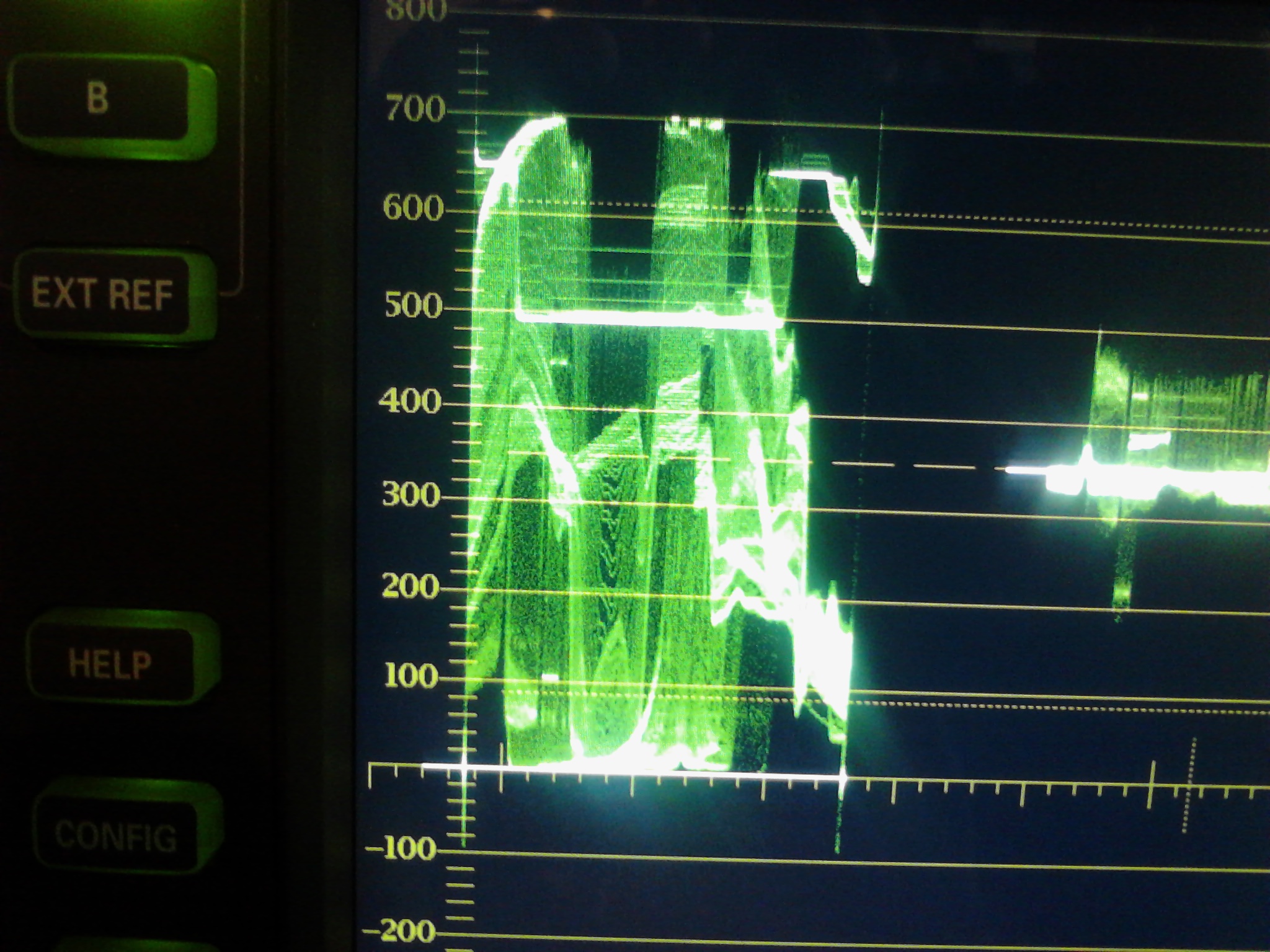
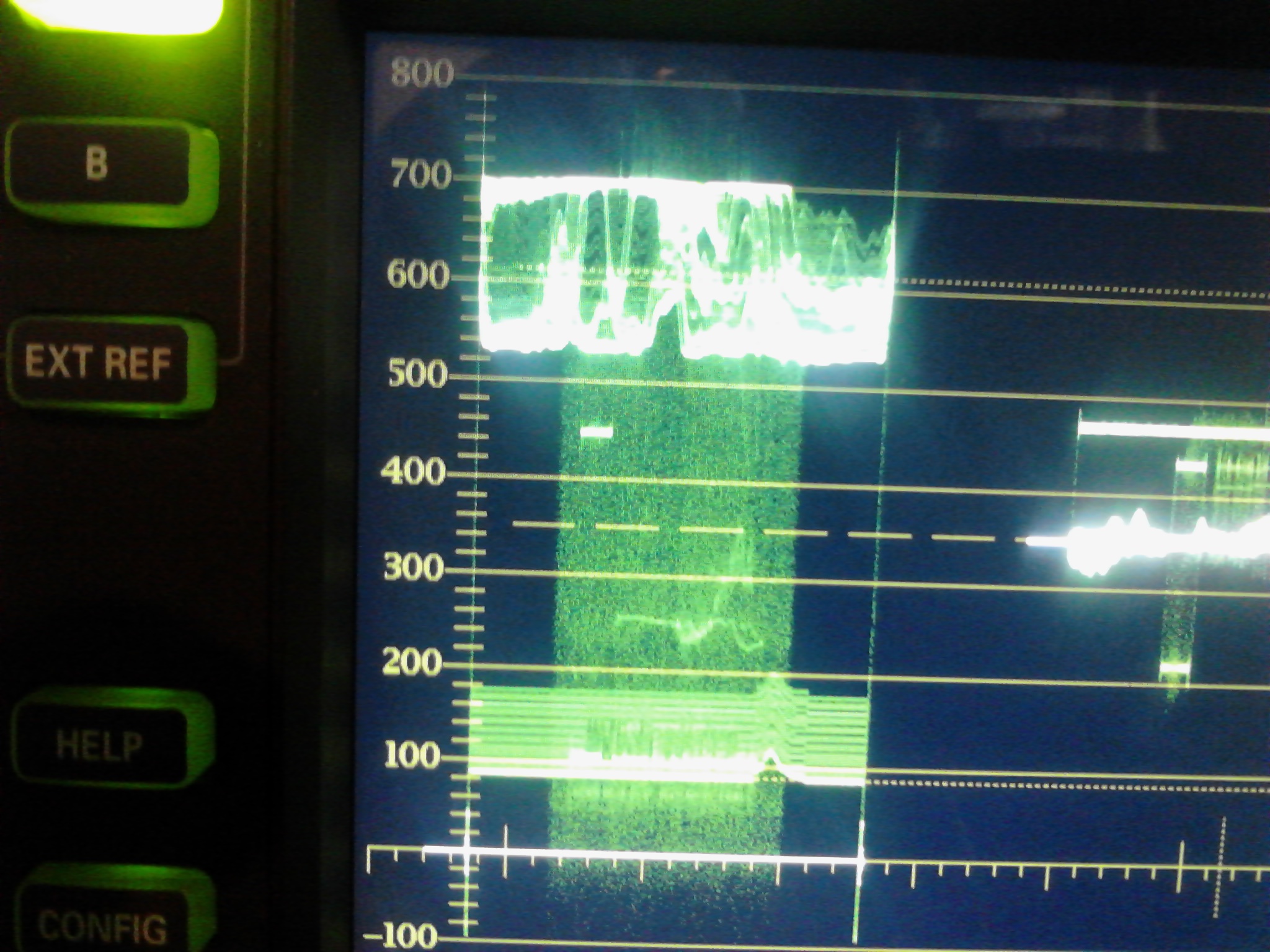
>Yes, you are seeing something going above 100 and below 0. But I will bet it is chroma and not luma. Chroma has a wider legal range.
>
>You are looking at chroma overlaid on the luma. That is why Bogdan suggested turning on the low pass filter which will pull the chroma out. Then see if you are in legal range.
>
><<http://www.danalee.ca/ttt/waveform_monitors_and_vectorscopes.htm>>
>
>--- In Avid-L2@yahoogroups.com, mike cardeiro wrote:
>
>Hi Terence,
>
>I was actually referring to the bottom end of the blacks (I have a greyish disclaimer which is showing high blacks). but the low blacks seem to go below 0, or am I reading it wrong.
>
>here is a grab of the endframe (prepare for some high quality art!)
>
>http://www.michaelcardeiro.com/c.jpg
>
>Mike Cardeiro
>Editor/Animator/Compositor               Â
>D4 Creative Group - Philadelphia, PAÂ Â Â
>Â Â Â Â Â Â Â Â Â Â Â
>http://www.michaelcardeiro.com/resume/
>http://www.youtube.com/user/mcardeiro
>
>
>
>
>
>________________________________
>From: Terence Curren
>To: Avid-L2@yahoogroups.com
>Sent: Tuesday, December 18, 2012 9:49 AM
>Subject: [Avid-L2] Re: hd black levels
>
>
>Â
>
>Yes, your blacks are high in the last frame grab. And since they are correct in the first frame grab, I would suspect your material has issues.
>
>--- In Avid-L2@yahoogroups.com, mike cardeiro wrote:
>so I think I have the waveform setup properly...but it looks like the end frame is out of whack.
>
>most of the spot looks like this
>http://www.michaelcardeiro.com/a.jpg
>
>All the whites and blacks look good, but the endframe (which is from the same rgb rendered quicktime) looks like this
>http://www.michaelcardeiro.com/b.jpg
>
>it looks like the whites and blacks are out of range. Am I reading this wrong?
>
>Mike Cardeiro
>Editor/Animator/Compositor               Â
>D4 Creative Group - Philadelphia, PAÂ Â Â
>Â Â Â Â Â Â Â Â Â Â Â
>http://www.michaelcardeiro.com/resume/
>http://www.youtube.com/user/mcardeiro
>
>[Non-text portions of this message have been removed]
>
>
>
>
>
>
>[Non-text portions of this message have been removed]
>
>
>
>
>
[Non-text portions of this message have been removed]
| Reply via web post | Reply to sender | Reply to group | Start a New Topic | Messages in this topic (16) |




No comments:
Post a Comment