Thursday, March 31, 2022

Re: [Avid-L2] Setting or Console Command to modify how Avid names mxf files so they are more readable?

Here's another description without any warnings:

RenameMediaFiles


Without any arguments, renames ALL files within Avid MediaFiles to more accurately reflect the project name and clip name.
_._,_._,_

Groups.io Links:

You receive all messages sent to this group.

View/Reply Online (#135752) | Reply To Group | Reply To Sender | Mute This Topic | New Topic
Your Subscription | Contact Group Owner | Unsubscribe [administrator242.death@blogger.com]

_._,_._,_

Re: [Avid-L2] Setting or Console Command to modify how Avid names mxf files so they are more readable?

Found This Thread from way back.

http://c2.avid.com/forums/t/10927.aspx

Re: The Console and Renamemediafiles function is it bad to use this?

 
I have not used it but here is the latter part of a post, by author unknown to me, from way back when version 3 XDV was state of the art.

"That said, if you want better names for the media files open the console and type "renamemediafiles" (without the quotation marks), then hit enter (or return on a mac). Your media files will immediately get renamed after the project, the track (audio or video) and the masterclip name. Some information may get cropped due to filename length limitations. All the same, it should then be a lot easier to track down specific files. BTW, your files will loose the original reference to the tape name.

Note that this feature is NOT supported by Avid and may or may not work properly (or at all) on all versions. There is no undo for this. I have never had a problem with it, either on XDV or on any Media Composer, but you may want to test the feature on a small batch of files first."

 
_._,_._,_

Groups.io Links:

You receive all messages sent to this group.

View/Reply Online (#135751) | Reply To Group | Reply To Sender | Mute This Topic | New Topic
Your Subscription | Contact Group Owner | Unsubscribe [administrator242.death@blogger.com]

_._,_._,_

Re: [Avid-L2] Setting or Console Command to modify how Avid names mxf files so they are more readable?

I've seen more reel names/Tape Names of late because more and more are using Resolve to process the offline media.  That always ends up with a Reel/Tape Name.  I don't like that it negates a straightforward ama link back to the cam originals in Avid but I guess that's not as big a deal to those using the Resolve processing workflow.

On Thu, Mar 31, 2022 at 03:58 PM, Dave Hogan wrote:
IIRC it was related to reel names when capturing from tape…no reel names in file based workflow.
 
Dave Hogan
Burbank, CA

On Mar 31, 2022, at 2:24 PM, JBeck <jb30343@windstream.net> wrote:

Type Help Commands into the console. I remember using that command a lot of years and. IIRC, it changes the names of existing media files. Seems like there was also a downside. JB 


On Mar 31, 2022, at 4:07 PM, John Moore <bigfish@pacbell.net> wrote:

Anybody remember the setting in Avid that made the MXF file name have some part of the actual clip name or some other metadata from the clip that helped identify the clip the MXF file was for?  It might have been a console command I just  checked media creations and didn't see it there.
 
John Moore Barking Trout Productions Studio City, CA bigfish@pacbell.net
_._,_._,_

Groups.io Links:

You receive all messages sent to this group.

View/Reply Online (#135750) | Reply To Group | Reply To Sender | Mute This Topic | New Topic
Your Subscription | Contact Group Owner | Unsubscribe [administrator242.death@blogger.com]

_._,_._,_

Re: [Avid-L2] Setting or Console Command to modify how Avid names mxf files so they are more readable?

Before everyone mentions that there is still a tape or reel name field in media, I was referring to tape name in the capture tool.

dave

On Mar 31, 2022, at 2:24 PM, JBeck <jb30343@windstream.net> wrote:

Type Help Commands into the console. I remember using that command a lot of years and. IIRC, it changes the names of existing media files. Seems like there was also a downside. JB 


On Mar 31, 2022, at 4:07 PM, John Moore <bigfish@pacbell.net> wrote:


Anybody remember the setting in Avid that made the MXF file name have some part of the actual clip name or some other metadata from the clip that helped identify the clip the MXF file was for?  It might have been a console command I just  checked media creations and didn't see it there.

John Moore Barking Trout Productions Studio City, CA bigfish@pacbell.net

Re: [Avid-L2] Setting or Console Command to modify how Avid names mxf files so they are more readable?

IIRC it was related to reel names when capturing from tape…no reel names in file based workflow.

Dave Hogan
Burbank, CA

On Mar 31, 2022, at 2:24 PM, JBeck <jb30343@windstream.net> wrote:

Type Help Commands into the console. I remember using that command a lot of years and. IIRC, it changes the names of existing media files. Seems like there was also a downside. JB 


On Mar 31, 2022, at 4:07 PM, John Moore <bigfish@pacbell.net> wrote:


Anybody remember the setting in Avid that made the MXF file name have some part of the actual clip name or some other metadata from the clip that helped identify the clip the MXF file was for?  It might have been a console command I just  checked media creations and didn't see it there.

John Moore Barking Trout Productions Studio City, CA bigfish@pacbell.net

Re: [Avid-L2] Setting or Console Command to modify how Avid names mxf files so they are more readable?

Type Help Commands into the console. I remember using that command a lot of years and. IIRC, it changes the names of existing media files. Seems like there was also a downside. JB 


On Mar 31, 2022, at 4:07 PM, John Moore <bigfish@pacbell.net> wrote:


Anybody remember the setting in Avid that made the MXF file name have some part of the actual clip name or some other metadata from the clip that helped identify the clip the MXF file was for?  It might have been a console command I just  checked media creations and didn't see it there.

John Moore Barking Trout Productions Studio City, CA bigfish@pacbell.net

[Avid-L2] Setting or Console Command to modify how Avid names mxf files so they are more readable?

Anybody remember the setting in Avid that made the MXF file name have some part of the actual clip name or some other metadata from the clip that helped identify the clip the MXF file was for?  It might have been a console command I just  checked media creations and didn't see it there.

John Moore Barking Trout Productions Studio City, CA bigfish@pacbell.net

Tuesday, March 29, 2022

Offer (Предложение)

Hello. Please pass on my suggestions that I sent in a letter for your guidance.
Please contact me at the contacts indicated in the offer.

Здравствуйте. Пожалуйста передайте мои предложения, которые я отправил в письме для Вашего руководства.
Прошу связаться со мной по указанным в предложении контактам.

Re: [Avid-L2] OT: Way to "live"review cuts?

Thanks for all the ideas everyone!

On Tue, Mar 29, 2022, at 4:13 PM, Gowanus Canal wrote:
Zoom via shared screen or NDI output from Avid. Free. 


DQS


On Mar 29, 2022, at 2:14 PM, danlist@bestmail.us wrote:

Hi All,

I imagine many have been in this spot. I am working with another editor remotely.

Without being in the same room, it would be helpful to watch down sections of a doc we are working on so that either of us could stop the cut, rewind etc. (so that we can discuss next steps.)  

Is there an inexpensive service that provides that shared control of an uploaded file?

Does something like TeamViewer allow a user in front of the computer and someone remotely connected to both mouse and click?

I only need the capability for two people.

Thanks for any tips,

Dan


Re: [Avid-L2] OT: Way to "live"review cuts?


I appreciate you sharing those.
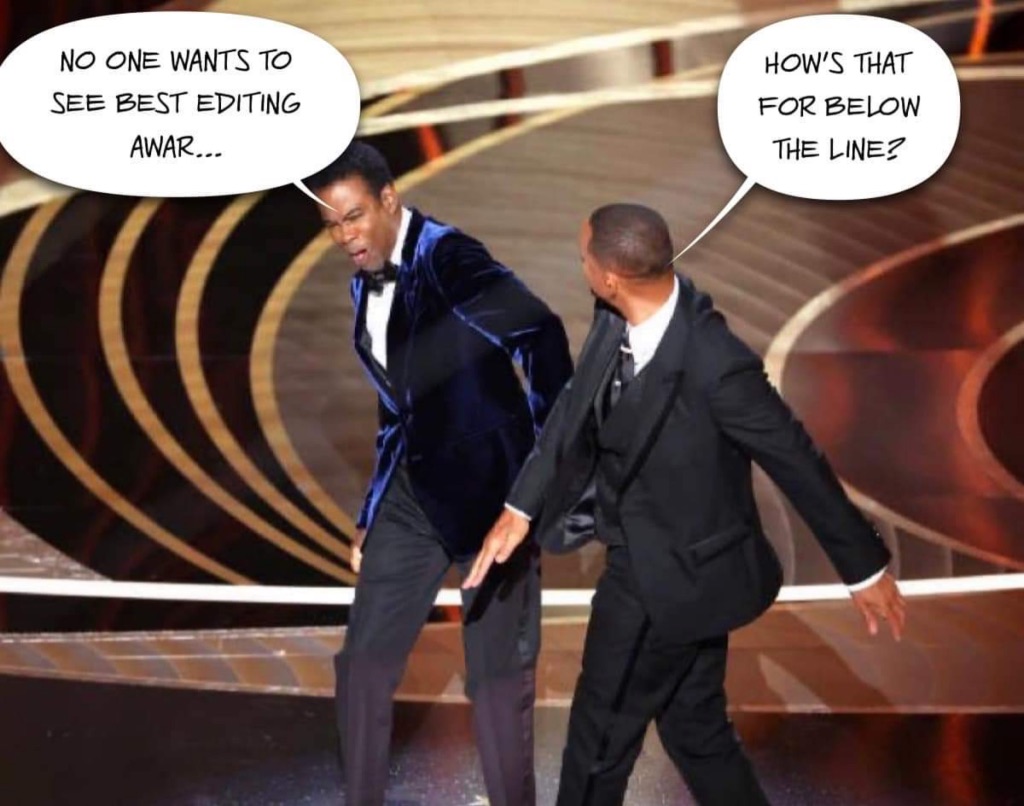
Here's one I put together:


On Mar 29, 2022, at 4:16 PM, Jo's Mailinglists <lists@filter-media.net> wrote:

a little declaration of love to the process, to the profession - if you'd like to liosten, read:


Editing is a creative, _frame-based_ <-!, process - imho. A better word might be: "Montague"

Everything that can be done "over interwebs" is lacking _the depth_ of what an editor is doing.

"Looks fine to me!" and " the Client loves it" might do make the cut, in terms spoken, but - does not make an edit: a proper one. 

In my humble opinion: a montague, the editing can't be valued if we (or: some) choose an online review version. At least: not where I come from (historically, not location).
There, we were pushing/pulling frames to the exact moment. This is the "montague"., the edit. I do not, sincerely and at least for now: see this on any online solution equally given so far.

An edit does not just work "works" - any, every edit does do the film. All those make the montague of any. And if one edit is not well placed… well, the "producer/s", the "client/s" might like but - but, hence, no:
this is not "montage", this is not editing, this is - sorry to say: "just 'cutting'".


My stand is: the "montage" of a, any, film,/movie/documentary/ yeah: even News: should be _the craft_ of either educated and/or (maybe: just:) experienced people.
Followed by "editing" of a concept. But what I never want to see is "a Cutter".

Worst case scenario, an AI which just assembles pictures.

So.

If we are looking in 2022 at some sort of remote "montage", "editing" - this will never never support that story's individual progress, drift, message.
As like a Cutter will not be able to decipher the inner meaning of a film (et. al.).

Not in 2022. Maybe: later. (Be aware, folks!)


But for now: we need those people, pushing and pulling one frame at a  time to make the story being told. We need "Montague", well, maybe, by different languages: "editing" - what we, what a "good film" needs is: not a cutter.

And what can be achieved over IP: is cutting. Not montage, not editing.


Again:

me, me two (any currencies)


Jochen "Jo" Hermann
filter Media Postproduction
Salzburg, Austria

On 29. Mar 2022, at 21:34, Jo's Mailinglists <lists@filter-media.net> wrote:

Hey folks,


I seriously understand the question, however: there's a meme for this:

(dunno if this works)


<IMG_1331.jpg>


my too Rubls. {sic!}

Cheers!


Jochen "Jo" Hermann
filter Media Postproduction
Salzburg, Austria

On 29. Mar 2022, at 20:47, Mark Spano <cutandcover@gmail.com> wrote:

TeamViewer works but is not free for something like this. You could use Google Remote Desktop. You might not like the remote screen responsiveness or resolution though. Or on a Mac, roll your own with built in ssh tunnelling with VNC…

Other stuff that is paid for works a lot better with limited bandwidth.

On Tue, Mar 29, 2022 at 2:18 PM bouke <bouke@editb.nl> wrote:
Vlc sync play?

Bouke

Sent from mobile

Op 29 mrt. 2022 om 20:14 heeft danlist@bestmail.us het volgende geschreven:

Hi All,

I imagine many have been in this spot. I am working with another editor remotely.

Without being in the same room, it would be helpful to watch down sections of a doc we are working on so that either of us could stop the cut, rewind etc. (so that we can discuss next steps.)  

Is there an inexpensive service that provides that shared control of an uploaded file?

Does something like TeamViewer allow a user in front of the computer and someone remotely connected to both mouse and click?

I only need the capability for two people.

Thanks for any tips,

Dan


Re: [Avid-L2] OT: Way to "live"review cuts?

a little declaration of love to the process, to the profession - if you'd like to liosten, read:


Editing is a creative, _frame-based_ <-!, process - imho. A better word might be: "Montague"

Everything that can be done "over interwebs" is lacking _the depth_ of what an editor is doing.

"Looks fine to me!" and " the Client loves it" might do make the cut, in terms spoken, but - does not make an edit: a proper one. 

In my humble opinion: a montague, the editing can't be valued if we (or: some) choose an online review version. At least: not where I come from (historically, not location).
There, we were pushing/pulling frames to the exact moment. This is the "montague"., the edit. I do not, sincerely and at least for now: see this on any online solution equally given so far.

An edit does not just work "works" - any, every edit does do the film. All those make the montague of any. And if one edit is not well placed… well, the "producer/s", the "client/s" might like but - but, hence, no:
this is not "montage", this is not editing, this is - sorry to say: "just 'cutting'".


My stand is: the "montage" of a, any, film,/movie/documentary/ yeah: even News: should be _the craft_ of either educated and/or (maybe: just:) experienced people.
Followed by "editing" of a concept. But what I never want to see is "a Cutter".

Worst case scenario, an AI which just assembles pictures.

So.

If we are looking in 2022 at some sort of remote "montage", "editing" - this will never never support that story's individual progress, drift, message.
As like a Cutter will not be able to decipher the inner meaning of a film (et. al.).

Not in 2022. Maybe: later. (Be aware, folks!)


But for now: we need those people, pushing and pulling one frame at a  time to make the story being told. We need "Montague", well, maybe, by different languages: "editing" - what we, what a "good film" needs is: not a cutter.

And what can be achieved over IP: is cutting. Not montage, not editing.


Again:

me, me two (any currencies)


Jochen "Jo" Hermann
filter Media Postproduction
Salzburg, Austria

On 29. Mar 2022, at 21:34, Jo's Mailinglists <lists@filter-media.net> wrote:

Hey folks,


I seriously understand the question, however: there's a meme for this:

(dunno if this works)


<IMG_1331.jpg>


my too Rubls. {sic!}

Cheers!


Jochen "Jo" Hermann
filter Media Postproduction
Salzburg, Austria

On 29. Mar 2022, at 20:47, Mark Spano <cutandcover@gmail.com> wrote:

TeamViewer works but is not free for something like this. You could use Google Remote Desktop. You might not like the remote screen responsiveness or resolution though. Or on a Mac, roll your own with built in ssh tunnelling with VNC…

Other stuff that is paid for works a lot better with limited bandwidth.

On Tue, Mar 29, 2022 at 2:18 PM bouke <bouke@editb.nl> wrote:
Vlc sync play?

Bouke

Sent from mobile

Op 29 mrt. 2022 om 20:14 heeft danlist@bestmail.us het volgende geschreven:

Hi All,

I imagine many have been in this spot. I am working with another editor remotely.

Without being in the same room, it would be helpful to watch down sections of a doc we are working on so that either of us could stop the cut, rewind etc. (so that we can discuss next steps.)  

Is there an inexpensive service that provides that shared control of an uploaded file?

Does something like TeamViewer allow a user in front of the computer and someone remotely connected to both mouse and click?

I only need the capability for two people.

Thanks for any tips,

Dan


Re: [Avid-L2] OT: Way to "live"review cuts?

Zoom via shared screen or NDI output from Avid. Free. 


DQS


On Mar 29, 2022, at 2:14 PM, danlist@bestmail.us wrote:


Hi All,

I imagine many have been in this spot. I am working with another editor remotely.

Without being in the same room, it would be helpful to watch down sections of a doc we are working on so that either of us could stop the cut, rewind etc. (so that we can discuss next steps.)  

Is there an inexpensive service that provides that shared control of an uploaded file?

Does something like TeamViewer allow a user in front of the computer and someone remotely connected to both mouse and click?

I only need the capability for two people.

Thanks for any tips,

Dan


Re: [Avid-L2] OT: Way to "live"review cuts?

Hey folks,


I seriously understand the question, however: there's a meme for this:

(dunno if this works)


my too Rubls. {sic!}

Cheers!


Jochen "Jo" Hermann
filter Media Postproduction
Salzburg, Austria

On 29. Mar 2022, at 20:47, Mark Spano <cutandcover@gmail.com> wrote:

TeamViewer works but is not free for something like this. You could use Google Remote Desktop. You might not like the remote screen responsiveness or resolution though. Or on a Mac, roll your own with built in ssh tunnelling with VNC…

Other stuff that is paid for works a lot better with limited bandwidth.

On Tue, Mar 29, 2022 at 2:18 PM bouke <bouke@editb.nl> wrote:
Vlc sync play?

Bouke

Sent from mobile

Op 29 mrt. 2022 om 20:14 heeft danlist@bestmail.us het volgende geschreven:

Hi All,

I imagine many have been in this spot. I am working with another editor remotely.

Without being in the same room, it would be helpful to watch down sections of a doc we are working on so that either of us could stop the cut, rewind etc. (so that we can discuss next steps.)  

Is there an inexpensive service that provides that shared control of an uploaded file?

Does something like TeamViewer allow a user in front of the computer and someone remotely connected to both mouse and click?

I only need the capability for two people.

Thanks for any tips,

Dan


Re: [Avid-L2] OT: Way to "live"review cuts?

CineSync

You each have the file on you local system and the software sends very small packets of data to trigger play, stop, sync, etc.


Jay


On Mar 29, 2022, at 1:14 PM, danlist@bestmail.us wrote:

Hi All,

I imagine many have been in this spot. I am working with another editor remotely. 

Without being in the same room, it would be helpful to watch down sections of a doc we are working on so that either of us could stop the cut, rewind etc. (so that we can discuss next steps.)  

Is there an inexpensive service that provides that shared control of an uploaded file? 

Does something like TeamViewer allow a user in front of the computer and someone remotely connected to both mouse and click?

I only need the capability for two people.

Thanks for any tips,

Dan


Re: [Avid-L2] OT: Way to "live"review cuts?

TeamViewer works but is not free for something like this. You could use Google Remote Desktop. You might not like the remote screen responsiveness or resolution though. Or on a Mac, roll your own with built in ssh tunnelling with VNC…

Other stuff that is paid for works a lot better with limited bandwidth.

On Tue, Mar 29, 2022 at 2:18 PM bouke <bouke@editb.nl> wrote:
Vlc sync play?

Bouke

Sent from mobile

Op 29 mrt. 2022 om 20:14 heeft danlist@bestmail.us het volgende geschreven:

Hi All,

I imagine many have been in this spot. I am working with another editor remotely.

Without being in the same room, it would be helpful to watch down sections of a doc we are working on so that either of us could stop the cut, rewind etc. (so that we can discuss next steps.)  

Is there an inexpensive service that provides that shared control of an uploaded file?

Does something like TeamViewer allow a user in front of the computer and someone remotely connected to both mouse and click?

I only need the capability for two people.

Thanks for any tips,

Dan


_._,_._,_

Groups.io Links:

You receive all messages sent to this group.

View/Reply Online (#135739) | Reply To Group | Reply To Sender | Mute This Topic | New Topic
Your Subscription | Contact Group Owner | Unsubscribe [administrator242.death@blogger.com]

_._,_._,_

Re: [Avid-L2] OT: Way to "live"review cuts?

Vlc sync play?

Bouke

Sent from mobile

Op 29 mrt. 2022 om 20:14 heeft danlist@bestmail.us het volgende geschreven:

Hi All,

I imagine many have been in this spot. I am working with another editor remotely.

Without being in the same room, it would be helpful to watch down sections of a doc we are working on so that either of us could stop the cut, rewind etc. (so that we can discuss next steps.)  

Is there an inexpensive service that provides that shared control of an uploaded file?

Does something like TeamViewer allow a user in front of the computer and someone remotely connected to both mouse and click?

I only need the capability for two people.

Thanks for any tips,

Dan


[Avid-L2] OT: Way to "live"review cuts?

Hi All,

I imagine many have been in this spot. I am working with another editor remotely.

Without being in the same room, it would be helpful to watch down sections of a doc we are working on so that either of us could stop the cut, rewind etc. (so that we can discuss next steps.)  

Is there an inexpensive service that provides that shared control of an uploaded file?

Does something like TeamViewer allow a user in front of the computer and someone remotely connected to both mouse and click?

I only need the capability for two people.

Thanks for any tips,

Dan


Monday, March 28, 2022

Ray-Ban/Oakley/Costa Sunglasses Up To 90% Off!Top Quality Low Cost!Shop Online Now!


Ray-Ban/Oakley/Costa Sunglasses Up To 90% Off!
Top Quality Low Cost!
Shop Online Now!
www.zxxrb.com

Cheap Louis Vuitton Bags Online - Discounted Louis Vuitton Bags 85% Off

If you can't read this email, please view it online

Cheap Louis Vuitton Bags Online
Discounted Louis Vuitton Bags 85% Off
Shop Online Now!

652 B King St, Charleston, SC 29403 USA
Find us on Facebook Follow us on Twitter
To unsubscribe or change communication settings click here


Friday, March 25, 2022

Re: [Avid-L2] Avid Artist DNxIQ - favored? not? EOL date?

The idea behind the Avid Brand was that Avid would have a more vested interest in keeping the compatibility of the box with Avid products going.  It use to be priced about a thousand bucks more to have the Avid Brand and it did include a backup power supply.  There are some under the hood things that are probably mentioned in the article but I went for the DNxIO because my work has been primarily Avid based so it was worth it to me at the time to spring for the extra cash to get more reliable Avid support.
_._,_._,_

Groups.io Links:

You receive all messages sent to this group.

View/Reply Online (#135736) | Reply To Group | Reply To Sender | Mute This Topic | New Topic
Your Subscription | Contact Group Owner | Unsubscribe [administrator242.death@blogger.com]

_._,_._,_

Re: [Avid-L2] Avid Artist DNxIQ - favored? not? EOL date?

I found this knowledge base article which addresses that topic…. I will need to check to see what added features since release.


https://avid.secure.force.com/pkb/articles/faq/DNxIQ-FAQ


EOL – not listed yet for DNxIQ or DNxID


https://avid.secure.force.com/pkb/articles/en_US/FAQ/End-of-support-dates#video


marianna

Marianna Montague
Customer Experience Evangelist
Customer Experience & Customer Success
Avid - Remote
marianna.montague@avid.com 
t +1 (978) 640-5215   |  m +1 (813) 493-6800 


Re: [Avid-L2] Avid Artist DNxIQ - favored? not? EOL date?

Not a stupid question.  I wondered the same thing and found this:

https://avid.secure.force.com/pkb/articles/en_US/faq/DNxIQ-FAQ/p?pubstatus=o

Some "differentials" seem to be quite a stretch as I'm sure the BMD box has the same features.

Karl Knowles
_._,_._,_

Groups.io Links:

You receive all messages sent to this group.

View/Reply Online (#135734) | Reply To Group | Reply To Sender | Mute This Topic | New Topic
Your Subscription | Contact Group Owner | Unsubscribe [administrator242.death@blogger.com]

_._,_._,_

2022 RayBan Newest Sunglasses Products 85% Off All Sales. Shop Online Now!

If you can't read this email, please view it online

2022 RayBan Newest Sunglasses Products
85% Off All Sales
Shop Online Now!

To stop receiving these emails, click here to unsubscribe
1115 E 11th St, Austin, TX 78702 United States


Thursday, March 24, 2022

Re: [Avid-L2] Avid Artist DNxIQ - favored? not? EOL date?

Sorry if this is a stupid question, but what does the Avid branded box get you over the similar Blackmagic box?

Jef
_._,_._,_

Groups.io Links:

You receive all messages sent to this group.

View/Reply Online (#135733) | Reply To Group | Reply To Sender | Mute This Topic | New Topic
Your Subscription | Contact Group Owner | Unsubscribe [administrator242.death@blogger.com]

_._,_._,_

Wednesday, March 23, 2022

Предложение

Здравствуйте. У меня есть предложения для владельца сайта.
Передайте пожалуйста мои предложения и контакты руководству, которые указаны в прикрепленных файлах.


Hello. I have suggestions for the site owner. 
Please pass on my suggestions and contacts to the management, which are indicated in the attached files.

Tuesday, March 22, 2022

Re: [Avid-L2] Avid Artist DNxIQ - favored? not? EOL date?

I think a lot of people and facilities are willing to work with HD/2K for the simultaneous HDR and tone map.  It seems many don't value the simultaneous output and aren't setup with an HDR and SDR monitor in the bay.  I don't live in that world but that's what I've seen at many places.  I'm surprised by this but these are the places that are cranking out a lot of Netflix content etc...


On Tue, Mar 22, 2022 at 03:41 PM, Gowanus Canal wrote:
It can’t do simultaneous HDR and tone map in UHD/4K. Only the Decklink 8K Pro can. 
 
If you don’t need tone mapping the DNxIO/IQ will work. 


DQS
 

On Mar 22, 2022, at 4:44 PM, John Moore <bigfish@pacbell.net> wrote:

On Tue, Mar 22, 2022 at 12:03 PM, Gowanus Canal wrote:
Any of the Blackmagic I/O will work. As well as the AJA devices. 
 
DNxIQ works just fine. It is our primary IO even with Resolve (except for 4K HDR). 


DQS
 

On Mar 22, 2022, at 2:38 PM, Karl Knowles <tech@knowlesvideo.com> wrote:

I'm thinking about investing in an Avid Artist DNxIQ unit and am wondering how it's been working for those who have used it.  Like it?  Like it conditionally?  Hate it?

I need the broadest support for SD through 4K work.  This seems to fit those needs best from the hardware options presented on the Avid "hardware" website.

If there is a better option that's not listed on Avid.com do let me know.

Also, has anyone heard of an EOL date associated with it?

Cheers!

Karl Knowles
Tallahassee, FL

 I'm curious why the DNxIQ doesn't work for your 4K HDR needs.  My DNxIO works fine with the limitation of only HD/2K in dual SDI mode for HDR and Target Display output at the same time.  Most of the people who use Resolve way more than I do tell me they almost always work in HD/2K until output.  What are the problematic limitations in your 4K/HDR workflows?
_._,_._,_

Groups.io Links:

You receive all messages sent to this group.

View/Reply Online (#135732) | Reply To Group | Reply To Sender | Mute This Topic | New Topic
Your Subscription | Contact Group Owner | Unsubscribe [administrator242.death@blogger.com]

_._,_._,_

Re: [Avid-L2] Avid Artist DNxIQ - favored? not? EOL date?

It can't do simultaneous HDR and tone map in UHD/4K. Only the Decklink 8K Pro can. 

If you don't need tone mapping the DNxIO/IQ will work. 


DQS


On Mar 22, 2022, at 4:44 PM, John Moore <bigfish@pacbell.net> wrote:

On Tue, Mar 22, 2022 at 12:03 PM, Gowanus Canal wrote:
Any of the Blackmagic I/O will work. As well as the AJA devices. 
 
DNxIQ works just fine. It is our primary IO even with Resolve (except for 4K HDR). 


DQS
 

On Mar 22, 2022, at 2:38 PM, Karl Knowles <tech@knowlesvideo.com> wrote:

I'm thinking about investing in an Avid Artist DNxIQ unit and am wondering how it's been working for those who have used it.  Like it?  Like it conditionally?  Hate it?

I need the broadest support for SD through 4K work.  This seems to fit those needs best from the hardware options presented on the Avid "hardware" website.

If there is a better option that's not listed on Avid.com do let me know.

Also, has anyone heard of an EOL date associated with it?

Cheers!

Karl Knowles
Tallahassee, FL

 I'm curious why the DNxIQ doesn't work for your 4K HDR needs.  My DNxIO works fine with the limitation of only HD/2K in dual SDI mode for HDR and Target Display output at the same time.  Most of the people who use Resolve way more than I do tell me they almost always work in HD/2K until output.  What are the problematic limitations in your 4K/HDR workflows?

Re: [Avid-L2] Avid Artist DNxIQ - favored? not? EOL date?

On Tue, Mar 22, 2022 at 12:03 PM, Gowanus Canal wrote:
Any of the Blackmagic I/O will work. As well as the AJA devices. 
 
DNxIQ works just fine. It is our primary IO even with Resolve (except for 4K HDR). 


DQS
 

On Mar 22, 2022, at 2:38 PM, Karl Knowles <tech@knowlesvideo.com> wrote:

I'm thinking about investing in an Avid Artist DNxIQ unit and am wondering how it's been working for those who have used it.  Like it?  Like it conditionally?  Hate it?

I need the broadest support for SD through 4K work.  This seems to fit those needs best from the hardware options presented on the Avid "hardware" website.

If there is a better option that's not listed on Avid.com do let me know.

Also, has anyone heard of an EOL date associated with it?

Cheers!

Karl Knowles
Tallahassee, FL

 I'm curious why the DNxIQ doesn't work for your 4K HDR needs.  My DNxIO works fine with the limitation of only HD/2K in dual SDI mode for HDR and Target Display output at the same time.  Most of the people who use Resolve way more than I do tell me they almost always work in HD/2K until output.  What are the problematic limitations in your 4K/HDR workflows?
_._,_._,_

Groups.io Links:

You receive all messages sent to this group.

View/Reply Online (#135730) | Reply To Group | Reply To Sender | Mute This Topic | New Topic
Your Subscription | Contact Group Owner | Unsubscribe [administrator242.death@blogger.com]

_._,_._,_

Re: [Avid-L2] Avid Artist DNxIQ - favored? not? EOL date?

Any of the Blackmagic I/O will work. As well as the AJA devices. 

DNxIQ works just fine. It is our primary IO even with Resolve (except for 4K HDR). 


DQS


On Mar 22, 2022, at 2:38 PM, Karl Knowles <tech@knowlesvideo.com> wrote:

I'm thinking about investing in an Avid Artist DNxIQ unit and am wondering how it's been working for those who have used it.  Like it?  Like it conditionally?  Hate it?

I need the broadest support for SD through 4K work.  This seems to fit those needs best from the hardware options presented on the Avid "hardware" website.

If there is a better option that's not listed on Avid.com do let me know.

Also, has anyone heard of an EOL date associated with it?

Cheers!

Karl Knowles
Tallahassee, FL

[Avid-L2] Avid Artist DNxIQ - favored? not? EOL date?

I'm thinking about investing in an Avid Artist DNxIQ unit and am wondering how it's been working for those who have used it.  Like it?  Like it conditionally?  Hate it?

I need the broadest support for SD through 4K work.  This seems to fit those needs best from the hardware options presented on the Avid "hardware" website.

If there is a better option that's not listed on Avid.com do let me know.

Also, has anyone heard of an EOL date associated with it?

Cheers!

Karl Knowles
Tallahassee, FL
_._,_._,_

Groups.io Links:

You receive all messages sent to this group.

View/Reply Online (#135728) | Reply To Group | Reply To Sender | Mute This Topic | New Topic
Your Subscription | Contact Group Owner | Unsubscribe [administrator242.death@blogger.com]

_._,_._,_